VIP routing: some callers should not wait in line
A VIP list is a set of phone numbers under a name of your choosing. Callers on it either ring every agent in a queue at once, or are forwarded to another queue before anything plays. Included in Purple+ since version 7.0.0.
Some callers should not wait in line
Every contact center has a handful of people it would rather not keep waiting. The customer with a response time written into the contract. The site manager with a crew standing still. The board member calling from an airport.
Today they take the same place in the queue as everyone else. If your maximum wait time ends in voicemail, that is where they end up too.
VIP routing in Purple+
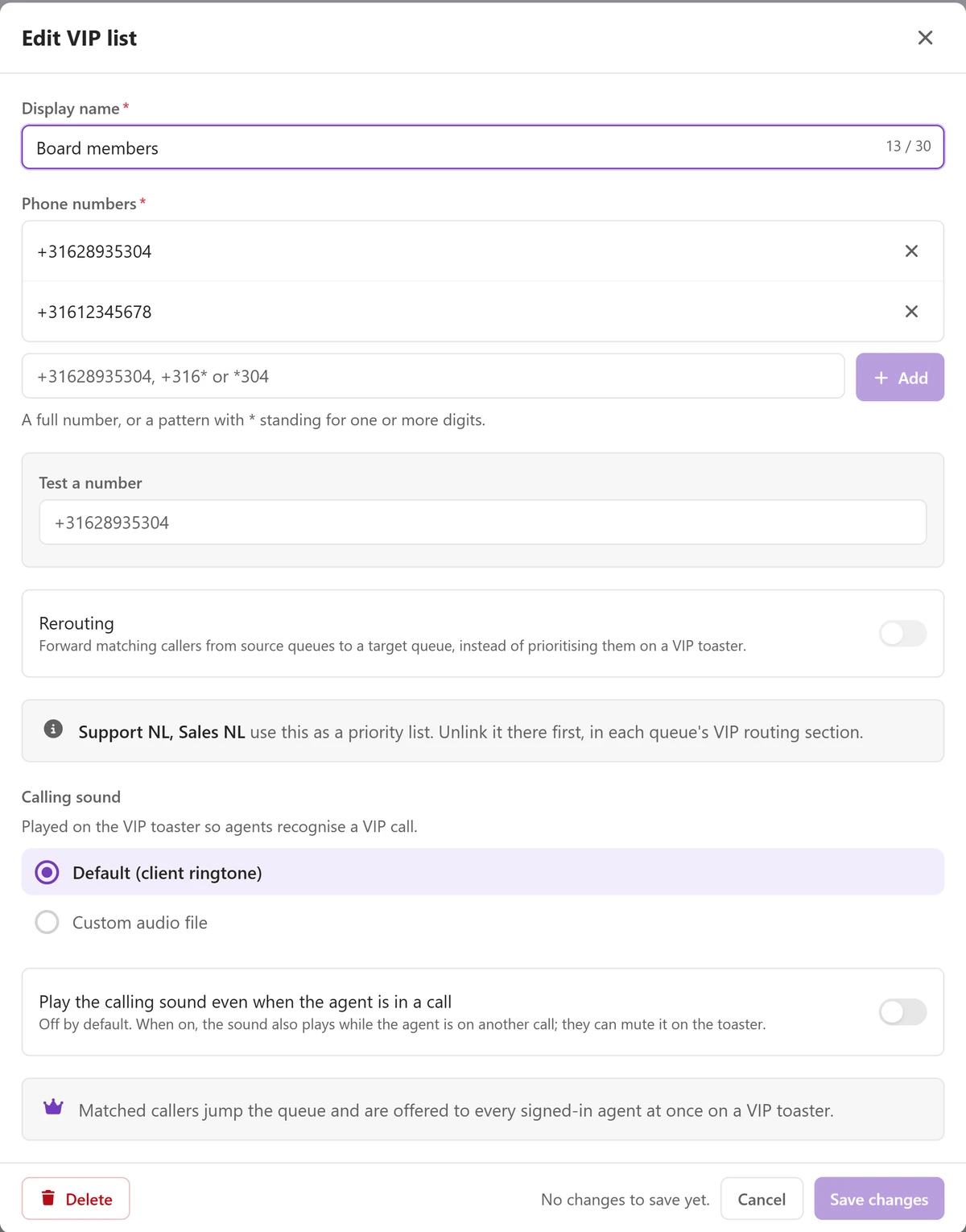
A VIP list is a list of phone numbers under a name of your choosing. You add each number in full international format, country code included. The name is capped at 30 characters, because it ends up on the agent's screen.
There are two ways to use a list.
The first is priority. You link the list to a queue. A call from a number on that list then rings every agent signed in to that queue, all at once. Busy, in wrap-up, set to Do Not Disturb: they all get it. The call arrives on its own card, marked with the name of the list, above anything else that is ringing. The first agent to accept gets the call.
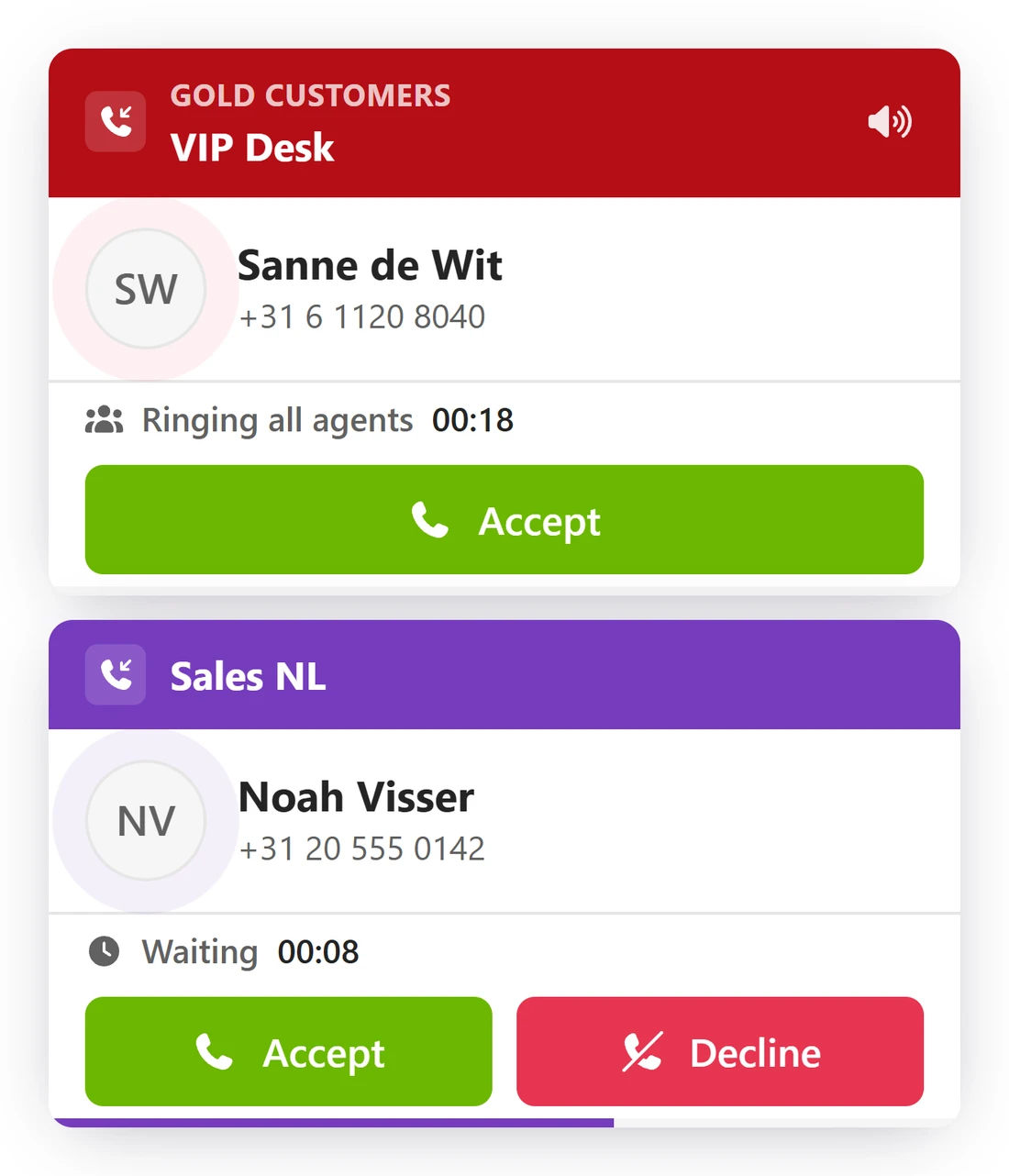
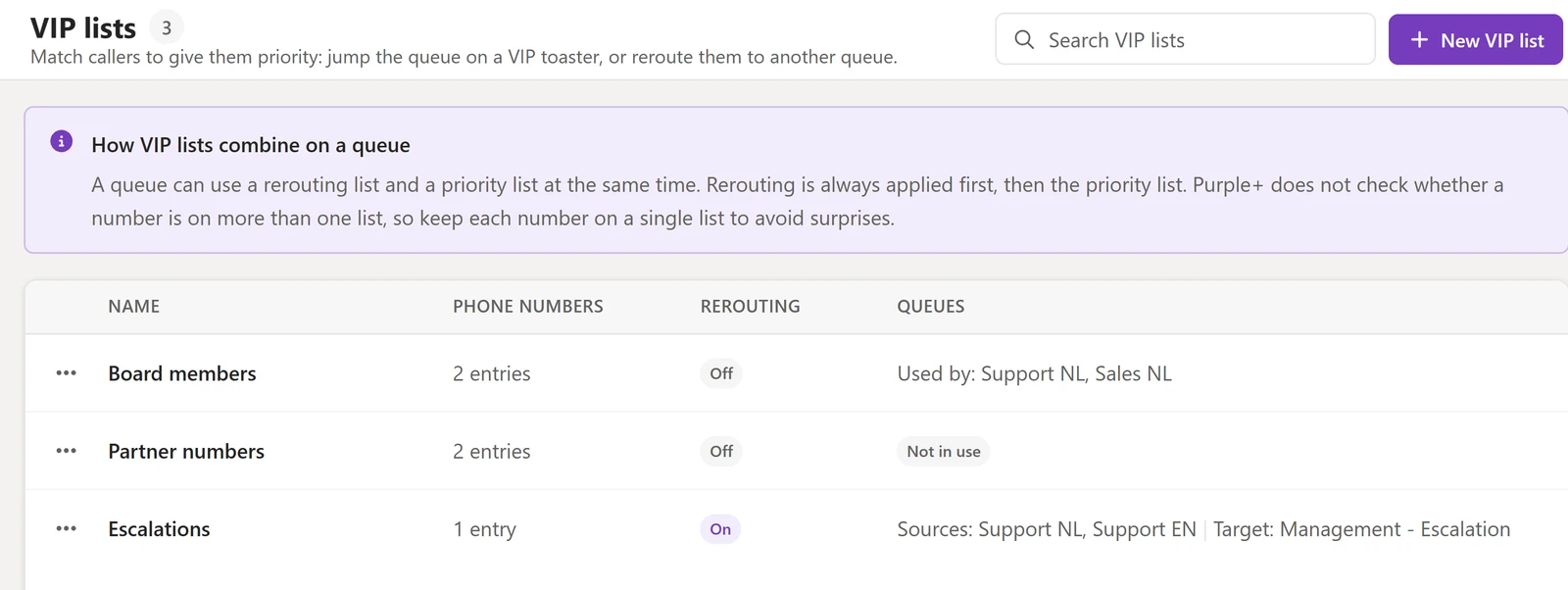
The second is rerouting. You give the list a source queue and a target queue. A call from a number on it is forwarded on arrival, before anything plays. The menu that was not built for that caller is skipped, and the call lands with the team that handles it.
A VIP call is admitted even when the queue is already at its maximum. It can skip the welcome message, and it never times out to voicemail. It keeps ringing until someone picks up or the caller hangs up, and normal calls behind it still get handled.
The service desk with a premium contract
Fourteen of your customers pay for a response time. The rest do not. Put those fourteen numbers on a list called Premium support and link it to the support queue.
One of those customers calls at 15:40, with six calls already waiting. Every engineer signed in sees a card marked Premium support, and one of them answers. Nobody had to remember which number belongs to which contract.
The callers who always land in the wrong menu
A large project runs for eighteen months. Its site managers call your main number every day. They work through a menu built for everyone else, then wait in the general queue.
A rerouting list with their numbers sends those calls straight to the project team's queue, before the menu plays. They stop landing at reception. Everyone else still hears the menu.
What belongs on the list
A VIP call interrupts on purpose. It rings agents who are already on a call, and it keeps ringing until someone takes it.
So the question is not who is important. It is which calls are worth that interruption.
In practice that is a short list.
Good to know
- Included in Purple+ and available now. No add-on, no extra cost. It shipped in version 7.0.0 on 4 August 2026.
- An administrator creates the lists in Config. A queue manager can edit the lists linked to their own queues, so adding a customer does not need IT.
- Each list can have its own calling sound, and you choose whether it also plays while the agent is already on a call.
- Every VIP card carries its own mute. It silences the VIP sound for that agent and stays muted, and the call keeps ringing for everyone else.
- The stack shows two cards at most, and a normal offer always keeps its slot. Anything beyond that collapses into a +N more VIP calls strip that opens the calls waiting list.
- Answered VIP calls are marked with the list name in call history and in reporting. So you can check afterwards whether the promise was kept.
- Purple+ does not check whether a number sits on more than one list, so keep each number on a single list.
- A withheld or anonymous number has nothing to match on, so that call is handled like any other.
- VIP routing does not override holiday routing, business hours, or what happens when nobody is signed in.
Next step
Tell us which numbers you would put on the list. We will tell you whether priority or rerouting fits your queue. Talk to us about VIP routing.