Purple+ Scheduler: Automate Your Contact Center, Around the Clock
Contact centers run on schedules. Opening hours change, agents rotate, after-hours routing switches on and off. Most teams still do this manually. Purple+ Scheduler puts it all on autopilot.
The real cost of manual scheduling
Every contact center runs on a rhythm. Queues open at 8 AM, overflow routing kicks in at 6 PM, a different team handles Saturday calls, and standby numbers activate after closing time. These changes happen every day, every week, every season.
In most contact centers, someone has to remember to make each change. A team lead logs into the management portal, adjusts the opening hours, switches the overflow number, and reassigns agents to different queues. If they forget, calls get dropped, routed to the wrong place, or greeted with yesterday's message.
This is not a technology problem, it is an operational risk. And it compounds: the more queues you manage, the more changes you need to track.
How most contact centers handle this today
The typical approach is a combination of spreadsheets, calendar reminders, and manual configuration. A supervisor keeps a shared document listing which agents work on which queues, and someone checks it every morning to make the changes in the system.
This works until it does not. A supervisor calls in sick, a new overflow rule gets missed during a shift change, and the result is always the same: customers hear the wrong message, reach the wrong team, or hit a dead end entirely.
Meet the Purple+ Scheduler
The Scheduler is a paid add-on for Purple+ that automates specific configuration changes on your contact center queues. Instead of remembering to make changes manually, you schedule them once and the system handles the rest. It works like a calendar: you create events that define what should happen, when, and on which queue.
What you can schedule today
The Scheduler currently covers the two most common contact center scheduling needs:
- After-hours overflow routing: Define where calls go outside business hours. Forward to an external number, play an audio message, send callers to voicemail, or route to another queue. Changes activate and deactivate automatically, so nobody has to touch the system at opening or closing time.
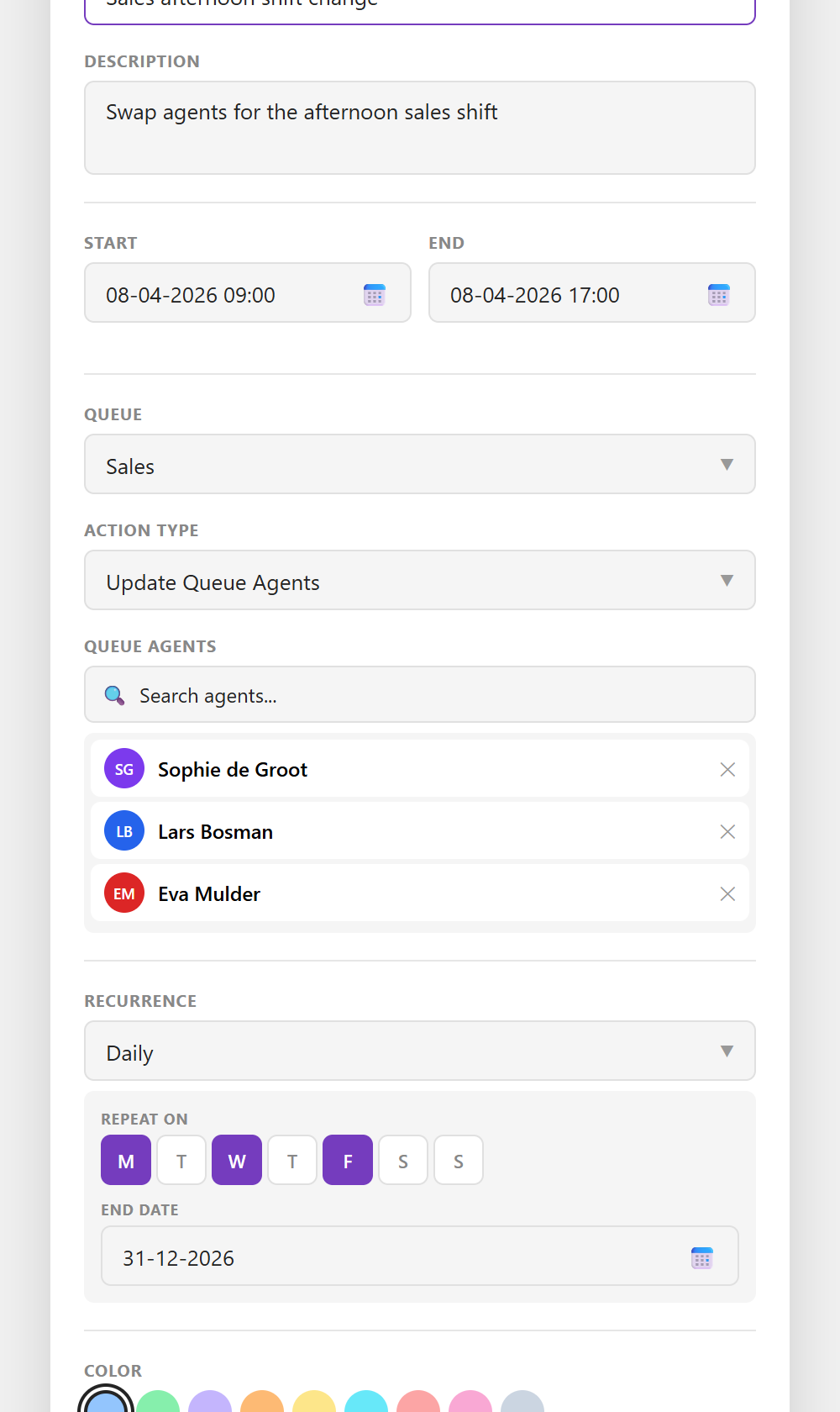
- Agent assignments: Schedule which agents are on which queues at what times. Recurring events add the right agents at the start of each shift and remove them when it ends. Especially valuable for contact centers with rotating schedules, part-time staff, or specialized skill groups.
Both support daily, weekly, and monthly recurrence patterns. Set it up once and move on.
Coming soon
We are actively expanding what the Scheduler can automate. Currently in development:
- Welcome messages: Swap greetings based on the time of day or day of the week
- Overflow handling: Automatically change where calls go when your queue reaches capacity or wait times exceed your threshold
- Opening hours changes: Temporarily change a queue's opening hours for events, maintenance, or team days, with a dedicated audio file or alternative routing
- Calamity routing: Pre-configure emergency routing that activates instantly: redirect calls to a backup number, play a specific announcement, or close queues until the situation is resolved
These features will be added as they become available. If any of these are critical for your organization, contact our team to discuss your timeline.
Why this matters
Individual scheduling tasks might seem small: change an overflow number here, swap an agent assignment there. But in a contact center with multiple queues, shifts, and seasonal variations, these small tasks add up to hours of manual work every week. More importantly, they add up to risk, because every manual change is a chance for human error.
Contact centers that automate this see fewer routing errors, less administrative overhead, and a consistent customer experience regardless of who is on shift. Supervisors spend less time on configuration and more time coaching their teams.
Get started
The Scheduler is a paid add-on for Purple+. Want to see what it can do for your contact center? Contact our team to set up a trial, or book a demo and we will walk you through it with your own scenarios.